
How to Replace a UPS Battery (and Skip Buying a New UPS)
Signs your UPS batteries are worn out, how to read volts and amp-hours to buy the right replacements, and how to swap and test them safely.
 Mohammad Shojib AhmedUpdated · 7 min read · 4K views
 6:50 video
Key takeaway
Match the voltage and Ah rating exactly, connect + to + and − to −, then test the backup time.
My UPS stopped backing up my PC whenever the power went out. The screen just went black, as if there were no UPS at all. The electronics were fine. Only the batteries had worn out. After replacing them I got 28 minutes of backup again, so there was no need to buy a new UPS.
Here is how to tell whether your batteries are the problem, how to choose the right replacements and how to swap them safely.
Read this first: some UPS models have a battery door or cartridge that the manual tells you to replace yourself. Others, like mine, have no battery door, and the batteries can only be reached by unscrewing the case. Opening the case exposes the internal electronics, which can hold a dangerous charge even when unplugged. If your manual describes a battery door or cartridge, follow the manual. If replacement means opening the case, the safest choice is a qualified technician. The steps below show what I did on my own unit, not a method that suits every UPS.
Signs your UPS batteries are worn out
- The PC switches off the moment the power cuts, even though the UPS is on.
- The UPS beeps constantly or shows a battery warning light.
- Backup time is much shorter than it used to be.
- The UPS fails its self-test, if it has a test button.
The sealed lead-acid batteries inside most home UPS units usually last a few years, depending on heat and how often the power goes out. If your UPS is a few years old and shows these signs, worn batteries are the most likely cause. Run the UPS self-test or check its manual to confirm before you buy.
Reading a battery label, in plain words
A UPS battery label shows two numbers that matter:
- V (volts): the battery's voltage, usually 12 V. This must match exactly.
- Ah (amp-hours): how much energy it stores. Mine were 9 Ah. Matching the old rating is the safe choice, because the UPS charger is designed for it.
Also check the physical size and the terminal type, the metal tabs where the wires connect. The new battery has to fit in the same space and use the same connectors.
Many UPS units use two batteries connected together. In mine, a short link wire joins them so the UPS gets 24 V from two 12 V batteries. You replace both at the same time, never just one, because a new battery paired with an old one wears out quickly.
Safety tip: Unplug the UPS from the wall and switch it off before opening it. The batteries can still deliver a strong current, so do not let the terminals touch metal tools, and never connect positive and negative directly.
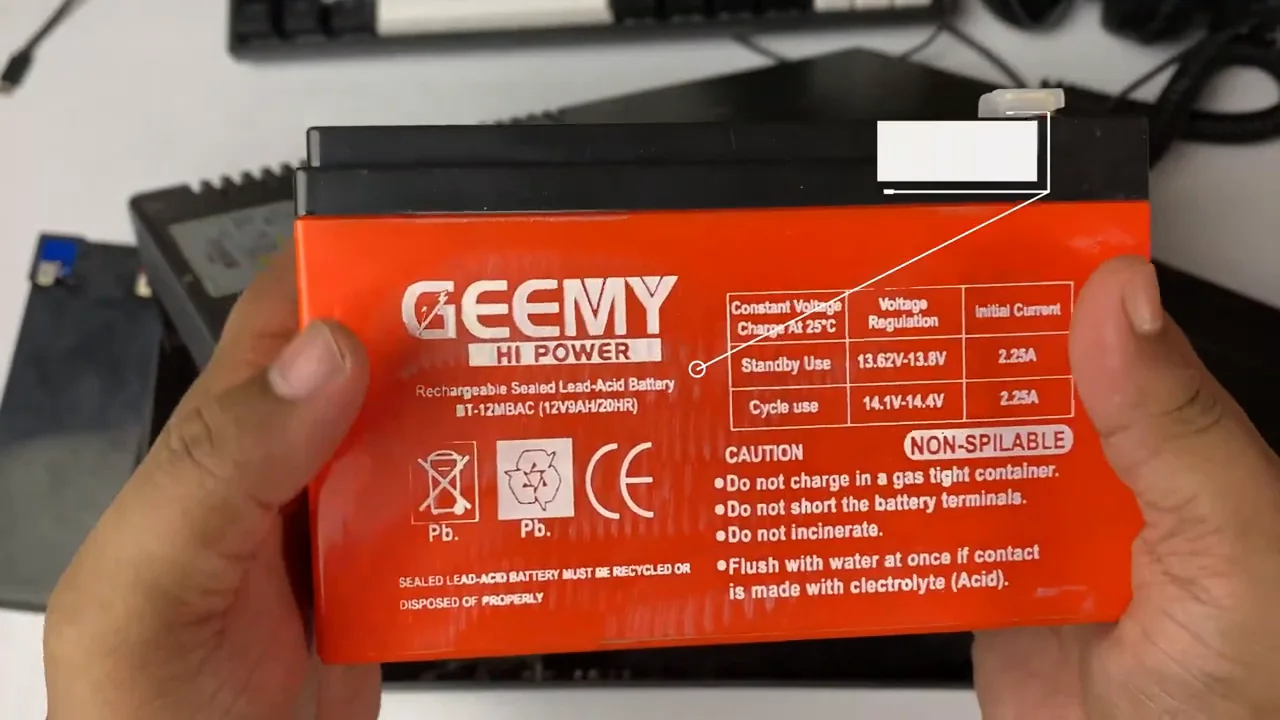
From my video at 3:16: The label on the replacement GEEMY Hi Power sealed lead-acid battery.
Compatibility checklist: match your exact UPS model and the battery or cartridge part number first. Then check the voltage (V), capacity (Ah), physical size, terminal type, cable polarity and any wiring harness that joins two batteries. Matching voltage alone is not enough. Never improvise exposed wiring or bypass safety interlocks.
Typical lifespan: sealed lead-acid UPS batteries often last about 3 to 5 years, less in heat or with frequent power cuts. A sudden shutoff can also come from overload, a faulty charger or the electronics, so a failed backup alone does not prove the battery is worn out.
What you need
- A long Phillips screwdriver, at least 5 inches (13 cm), to reach the deep screws.
- A flathead screwdriver to open the front panel.
- Replacement batteries with exactly the same rating as the old ones. Mine were two 12 V 9 Ah sealed lead-acid batteries.
- Your phone, to take a photo of the wiring.
Steps
If your UPS has a battery door or cartridge
- Read your model’s manual and confirm the battery is user-replaceable.
- Shut down the connected devices, switch the UPS off and unplug it, as the manual describes.
- Open only the battery door or cartridge access the manual shows.
- Fit the approved replacement in the order the manual gives, then close the compartment before plugging in.
What I did on my UPS (no battery door)
These are the steps from my video, on a UPS with no battery door. Unplug the UPS from the wall, switch it off and disconnect your PC first.
- Remove the small screw that holds the front panel, then the larger case screws.
- Gently pry off the front panel with a flathead screwdriver. Do not force the clips.
- Photograph how the batteries and wires are connected before you touch anything.
- Disconnect the link between the batteries, then the main wires, and lift out the old batteries.
- Place the new batteries in the same position.
- Reconnect exactly as in your photo: red to positive (+), black to negative (−), and the link between the two batteries. Reversed polarity can damage the UPS.
- In my UPS, one negative connector was damaged and loose. In the video I tightened it with a flathead screwdriver before pushing it on. A damaged connector is better replaced than tightened, and never work on a connector while it is attached to a battery terminal.
- Reassemble the case completely before you plug the UPS in.
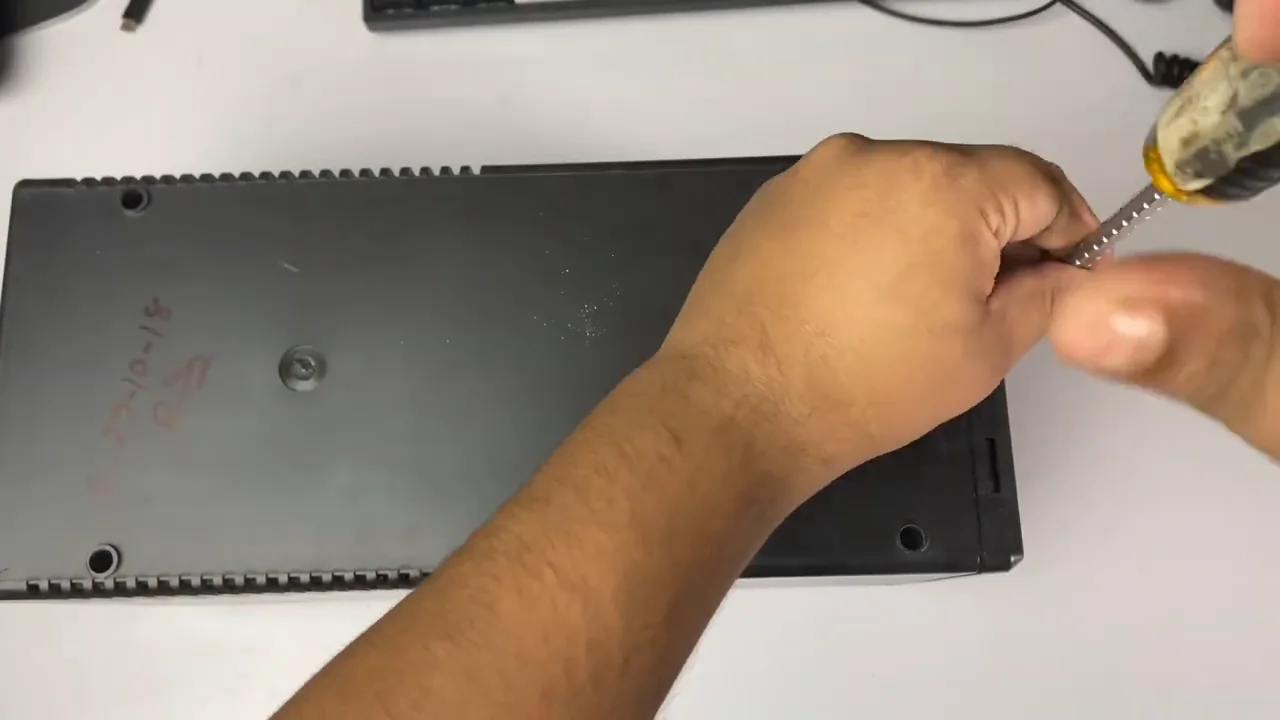
From my video at 0:12: Removing the case screws on the bottom of my UPS.
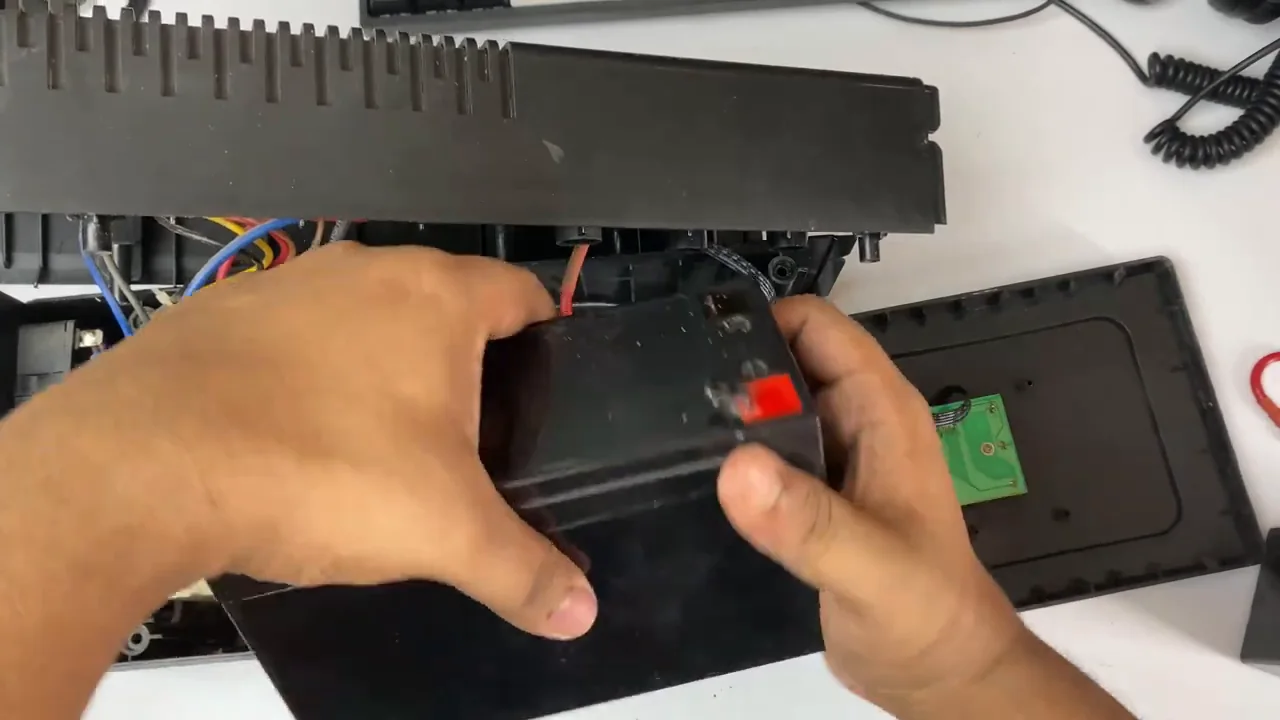
From my video at 2:09: Taking the old batteries out of the opened case.
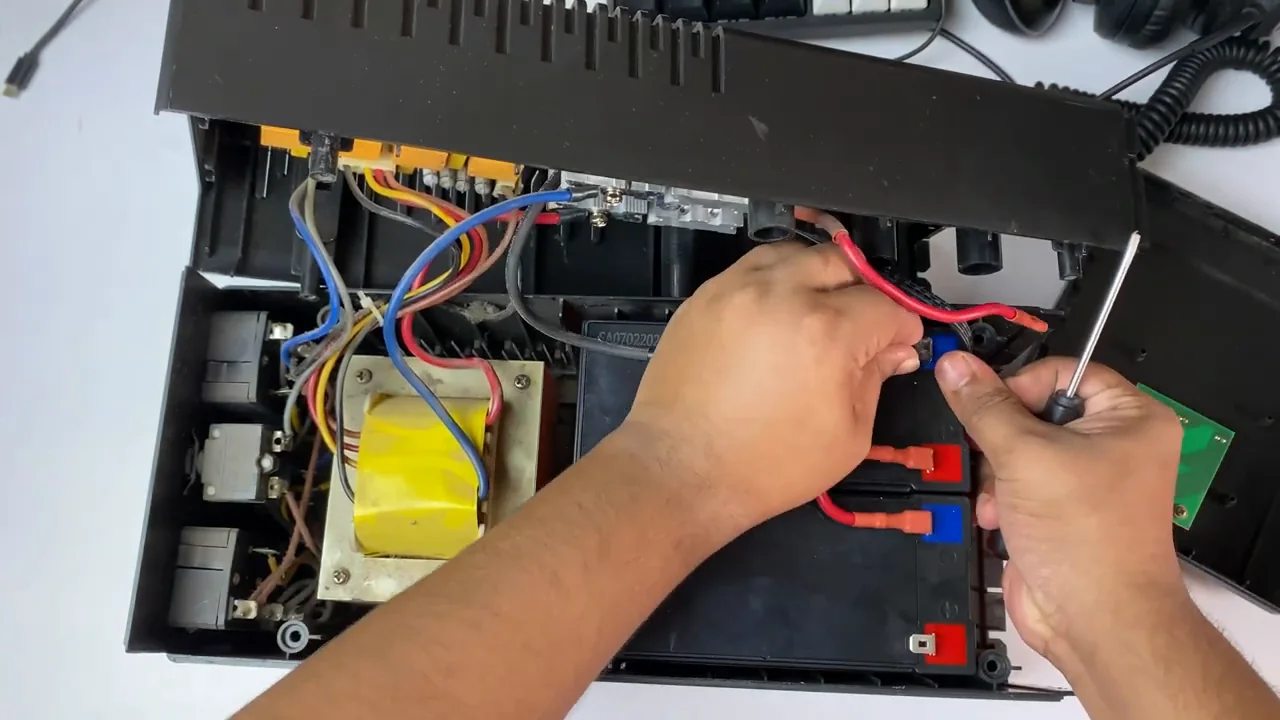
From my video at 4:57: Tightening a loose battery connector with a flathead screwdriver.
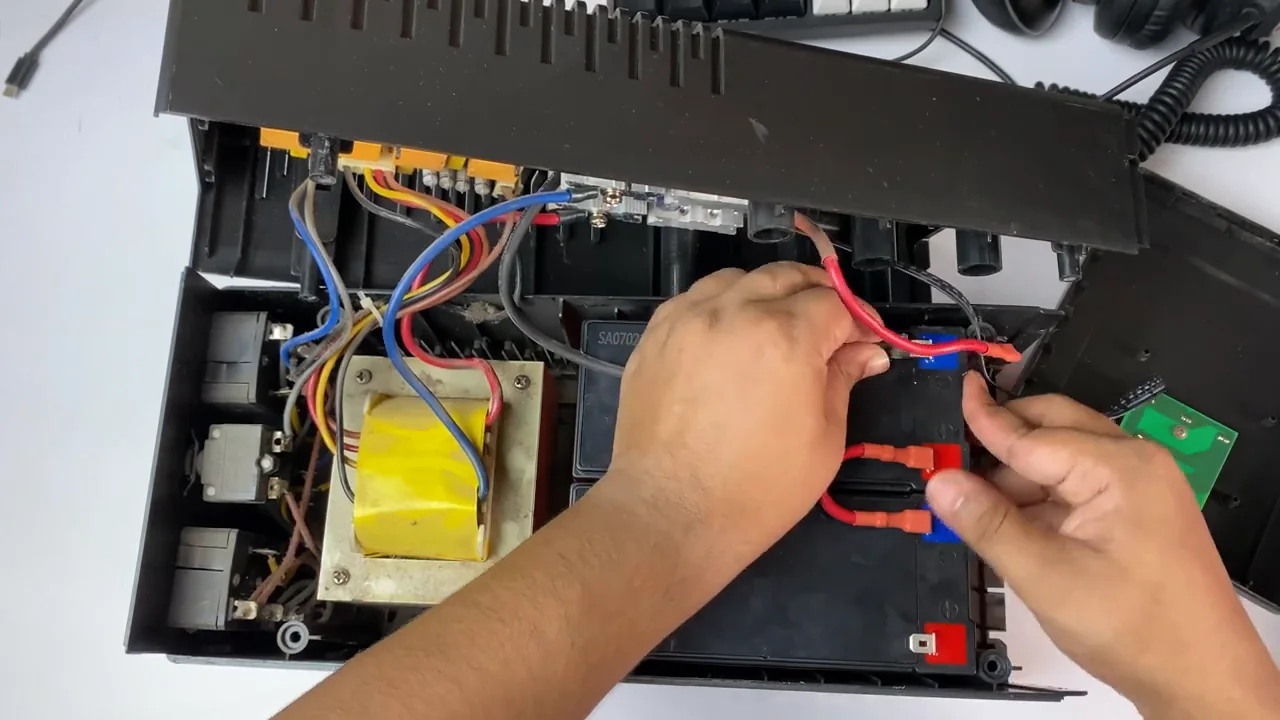
From my video at 4:40: Reconnecting the battery wires to the new batteries.
Test it
Let the new batteries charge for a few hours, ideally overnight. Then save your work, keep the PC running and unplug the UPS from the wall. Time how long it lasts. Mine ran my PC for about 28 minutes. If you cannot risk the PC switching off, use the UPS self-test or a lamp as the test load instead.
Backup time depends on how much power your PC uses. A gaming or editing PC under load drains the battery much faster than an idle PC. The goal of a home UPS is usually a few minutes to save your work and shut down safely, not hours of use.
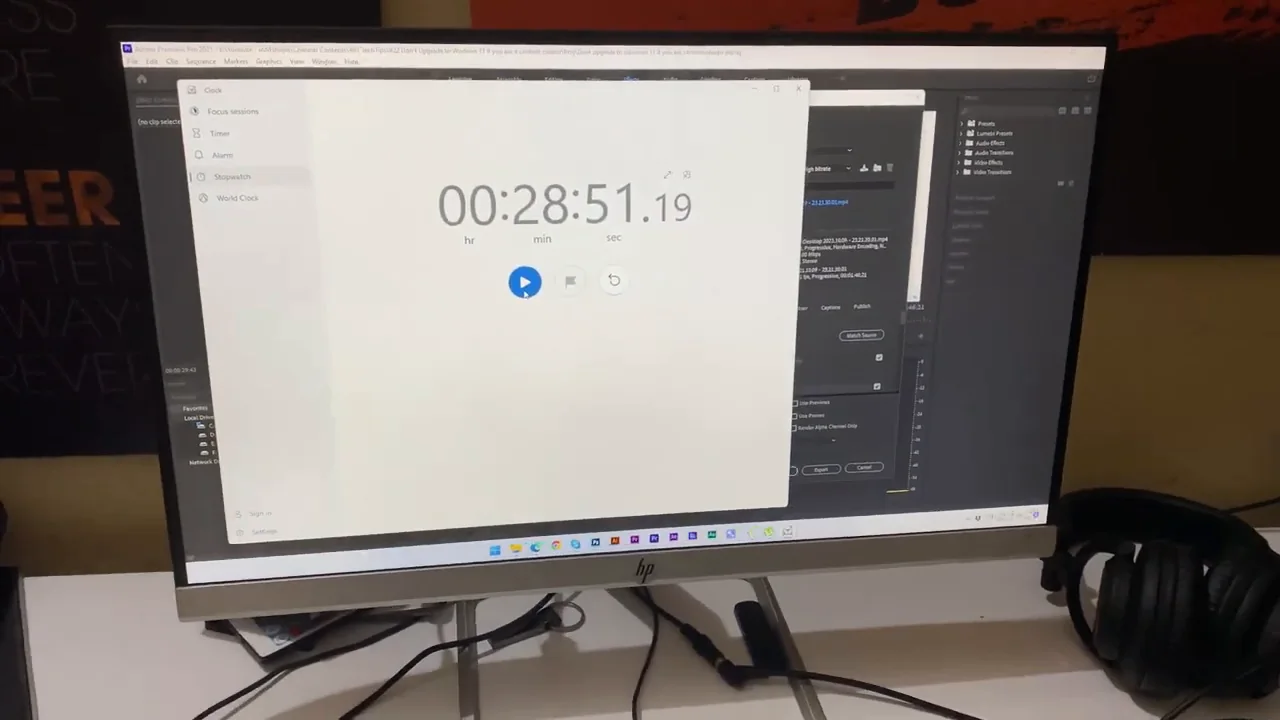
From my video at 6:37: The backup test: the stopwatch passed 28 minutes on battery power.
Make the new batteries last
- Keep the UPS somewhere cool and ventilated. Heat shortens battery life more than anything else.
- Do not plug printers or heaters into the battery outlets. They draw a lot of power.
- Run the self-test every few months, if your UPS has one.
Handle the old batteries upright, tape their terminals, and recycle them at an electronics or battery collection point. Lead-acid batteries contain lead and acid, so never throw them in household waste.
Common questions
Can I replace a UPS battery myself?
Only if your UPS manual describes a battery door or cartridge you can replace yourself. If the batteries can only be reached by opening the case, as on my unit, a qualified technician is the safer choice.
How long does a UPS battery last?
Typically 3 to 5 years, less in a hot room or with frequent power cuts.
The short version
If your UPS no longer backs up your PC, the batteries are the usual cause. Buy replacements with the same voltage, amp-hour rating, size and terminals, replace them all at once, connect + to + and − to − exactly as before, charge them and test the backup time.
Precaution
A UPS may contain dangerous stored energy and high voltage. Replace a user-serviceable battery only according to your model’s manual; otherwise use a qualified technician.
Keep going