
Windows 10 vs 11 on Ryzen: A Real Premiere Pro Render Test
I rendered the same 4K Premiere Pro project on Windows 10 and Windows 11 with a Ryzen 5 3600. Here are the times, what they mean and how to test your own PC.
 Mohammad Shojib AhmedUpdated · 6 min read · 707 views
 3:03 video
Key takeaway
Windows 11 rendered my 4K export 21 seconds faster than Windows 10 on a Ryzen 5 3600.
When Windows 11 launched, there were reports that it cut Ryzen performance by up to 15%. As a video editor, I care about render times, not synthetic benchmark scores. So instead of trusting headlines, I tested it the way I actually use my PC: with a real Premiere Pro export.
Here is exactly how I set up the test, what I found and how you can run the same kind of test on your own system.
Video note: this is my test from the time of the video, on one Ryzen PC. It shows what happened on that setup then, not how current Windows versions perform.
Quick solution
Windows 11 rendered my 4K export 21 seconds faster than Windows 10 on a Ryzen 5 3600.
Why there were worries about Ryzen
Soon after release, AMD and Microsoft confirmed that early Windows 11 builds had issues on some Ryzen systems. The two main problems were slower access to the processor's cache memory and Windows not always using the fastest cores first. Both companies released fixes through Windows updates and AMD chipset drivers.
The headlines spread faster than the fixes, though. Many people still believe Windows 11 is slow on Ryzen, so I wanted my own answer for the work I do.
The setup
- CPU: AMD Ryzen 5 3600, 6 cores at 3.6 GHz.
- RAM: 24 GB, with 21 GB assigned to Premiere Pro.
- GPU driver: the same Studio driver (472.12) on both systems.
- Premiere Pro set to optimize rendering for performance.
- Export: H.264, 4K, 29.97 fps, using the same project file on both.
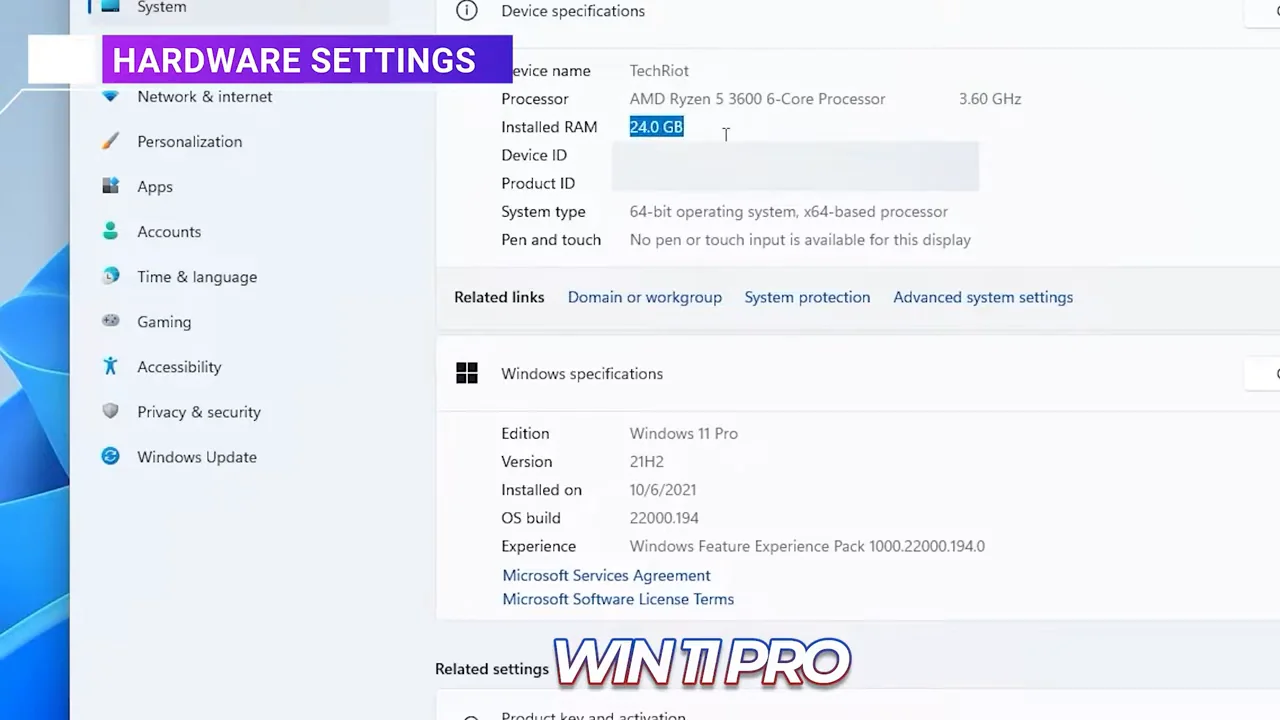
From my video at 0:42: Settings → System → About on the Windows 11 Pro install: AMD Ryzen 5 3600.
What these settings mean
H.264 is the most common video format for YouTube and social media, so it is the export most creators run every day. 4K at 29.97 fps is a heavy job that keeps the processor busy for minutes, which makes small differences easier to see. Using the same driver and the same project on both systems means Windows is the only thing that changed.
The result
- Windows 11 Pro: 3 minutes 21 seconds.
- Windows 10 Pro: 3 minutes 42 seconds.
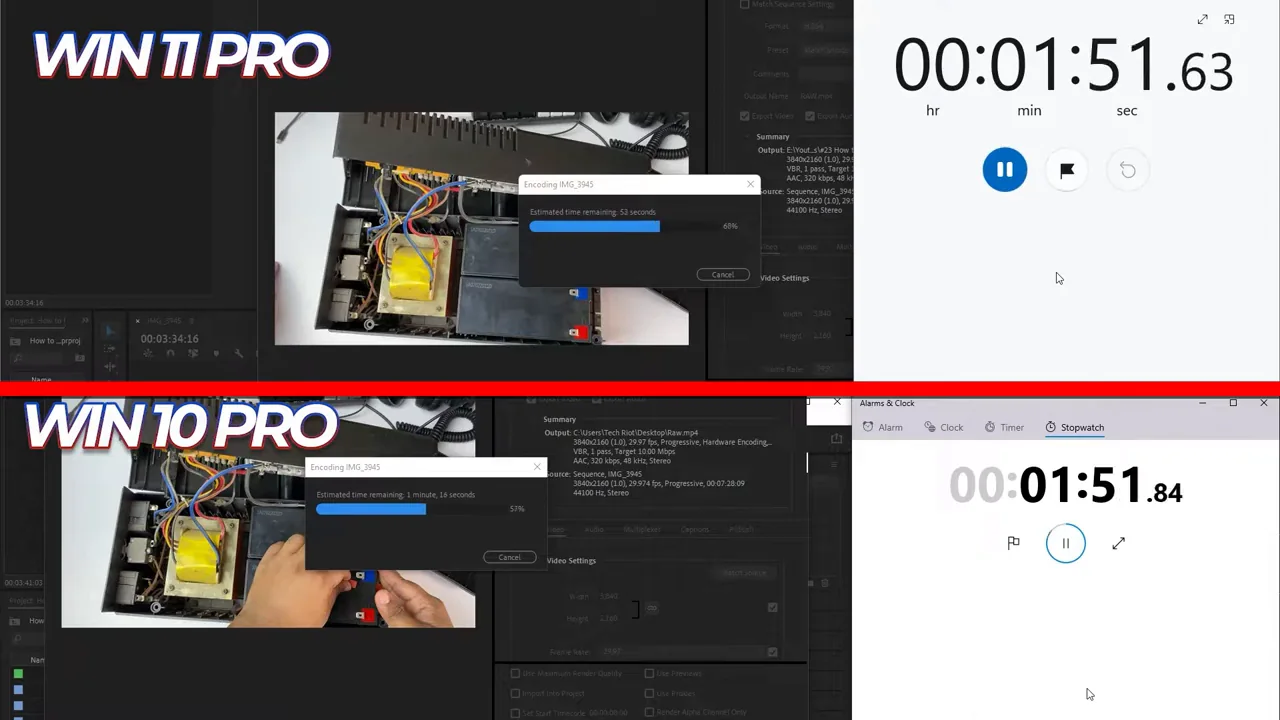
From my video at 2:12: Both exports running, each timed with a stopwatch.
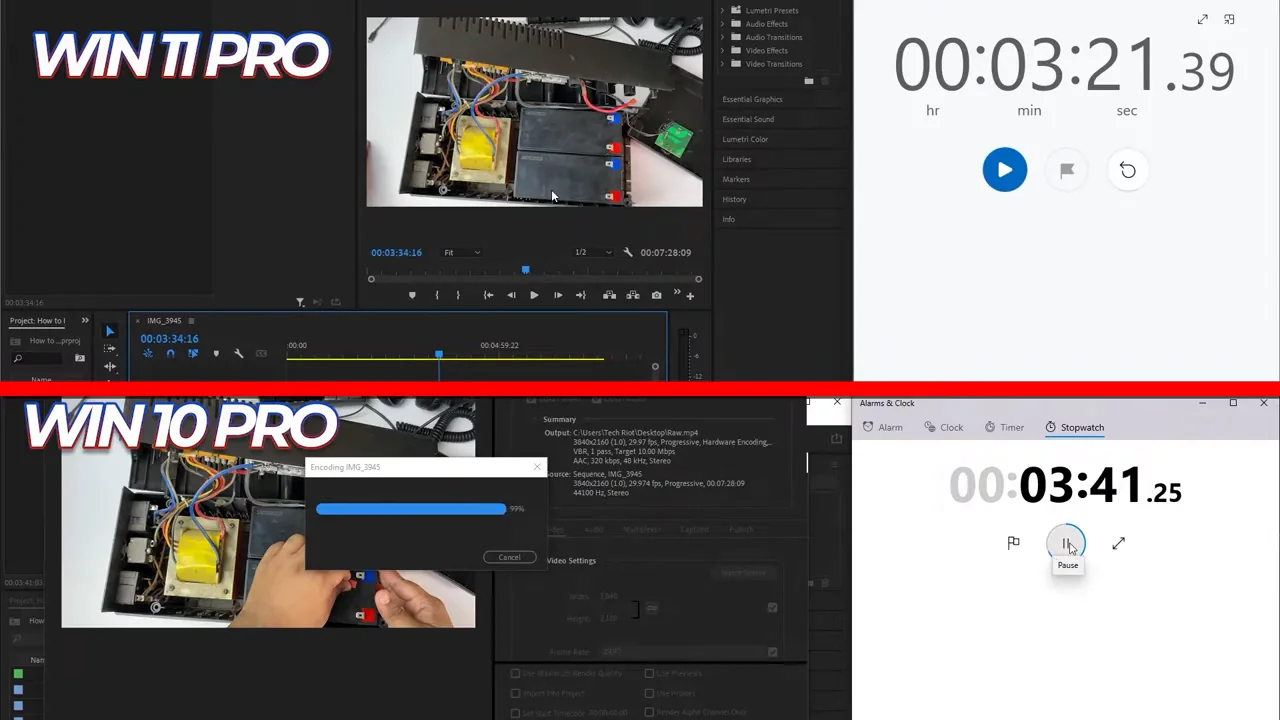
From my video at 2:30: Windows 11 Pro’s export has finished at 3:21 while Windows 10 Pro is still encoding; it finished at 3:42.
Windows 11 finished the same export 21 seconds sooner, about 10% faster on this test. For content creation on my system, the slowdown people talked about did not show up at all.
What this test does and does not prove
This is one export, on one processor, with one project. It is a real-world result, not a lab study. Gaming, other editing apps and other processors can behave differently. What it does show is that, for my everyday editing work, Windows 11 was not slower, and that is the question I needed answered.
How to test your own PC
- Pick one real project you work on, ideally a few minutes long.
- Install all Windows updates and the latest AMD chipset driver from AMD's website.
- Use the same export preset every time.
- Restart the PC before each test and close other apps.
- Run the export at least twice and use the average time.
Compare the times, not how the system feels. Small differences in feel often come from new animations or a new layout, not from real speed.
Tips that matter more than Windows 10 versus 11
- Keep your chipset and graphics drivers up to date. For editing, a Studio driver is usually the more stable choice.
- Give your editing app enough memory in its preferences, as I did with 21 GB for Premiere Pro.
- Turn on hardware encoding in Premiere Pro if your graphics card supports it. It can cut export times far more than any Windows version change.
- Use a fast SSD for your project files and media cache.
Common questions
Is Windows 11 slow on Ryzen?
Early builds had a cache issue on some Ryzen systems, fixed by Windows updates and AMD chipset drivers in late 2021. See why there were worries.
Should I upgrade from Windows 10?
Base it on support rather than speed: Windows 10 support ended on October 14, 2025, so it no longer gets regular security updates unless you are enrolled in Extended Security Updates.
My verdict
Many people say Windows 11 drops Ryzen performance by around 15%. For content creation, not gaming, that is not what I found. On my Ryzen 5 3600, Windows 11 Pro rendered the same 4K export about 10% faster than Windows 10 Pro. As a content creator, I am getting full performance from Windows 11 and my hardware.
Precaution
These results reflect one historical test setup; do not generalize them to current Windows versions or all Ryzen systems.
Keep going
