
Air vs Liquid Cooling on an i7-12700K: Noctua NH-D15S vs NZXT Kraken X73
I tested a Noctua NH-D15S against an NZXT Kraken X73 360 mm AIO on an i7-12700K in rendering and gaming. Here are the temperatures and how to choose.
 Mohammad Shojib AhmedUpdated · 7 min read · 8K views
 3:57 video
Key takeaway
For a hot 12th-gen i7 under long renders, the 360 mm AIO kept the CPU package about 11 °C cooler than the big air cooler.
My Intel i7-12700K ran close to 100 °C while converting and rendering video. For an editing PC that runs long exports every day, that is too hot for comfort. I swapped my Noctua NH-D15S air cooler for an NZXT Kraken X73 360 mm AIO and tested both with the same workload.
Here are the numbers, what they mean and how to decide which type of cooler makes sense for your build.
Video note: these results come from my i7-12700K with these two coolers in my case. Your case airflow, workload and room temperature will change the numbers.
Quick solution
For a hot 12th-gen i7 under long renders, the 360 mm AIO kept the CPU package about 11 °C cooler than the big air cooler (98 °C versus 87 °C after two minutes of HandBrake).
Air cooler versus AIO, in plain words
An air cooler is a large metal heatsink with fans that sits directly on the processor. Heat moves through copper pipes into thin metal fins, and the fans blow it away. There is nothing to leak and nothing to wear out except the fans.
An AIO, short for all-in-one liquid cooler, uses a small pump on the processor to move liquid through tubes to a radiator mounted on the case. Fans on the radiator push the heat out of the case. A 360 mm AIO has a radiator long enough for three 120 mm fans, which gives it a lot of cooling surface.
Why temperature matters for editing
Modern processors boost their speed as long as they stay cool enough. Intel's 12th generation chips are designed to run up to 100 °C. Near that limit, the processor slows itself down to protect itself. This is called thermal throttling. During a long export, a throttling processor takes longer to finish, and the fans run loud the whole time.
How I tested
- Same PC, same i7-12700K, same video file.
- HandBrake video conversion, which loads every CPU core.
- CPU package temperature recorded after 2 minutes of conversion, from the same monitoring tool for both coolers.
- One run per cooler, at normal room temperature. This is a real-world check, not a lab test.
- Gaming check: a normal Valorant session.
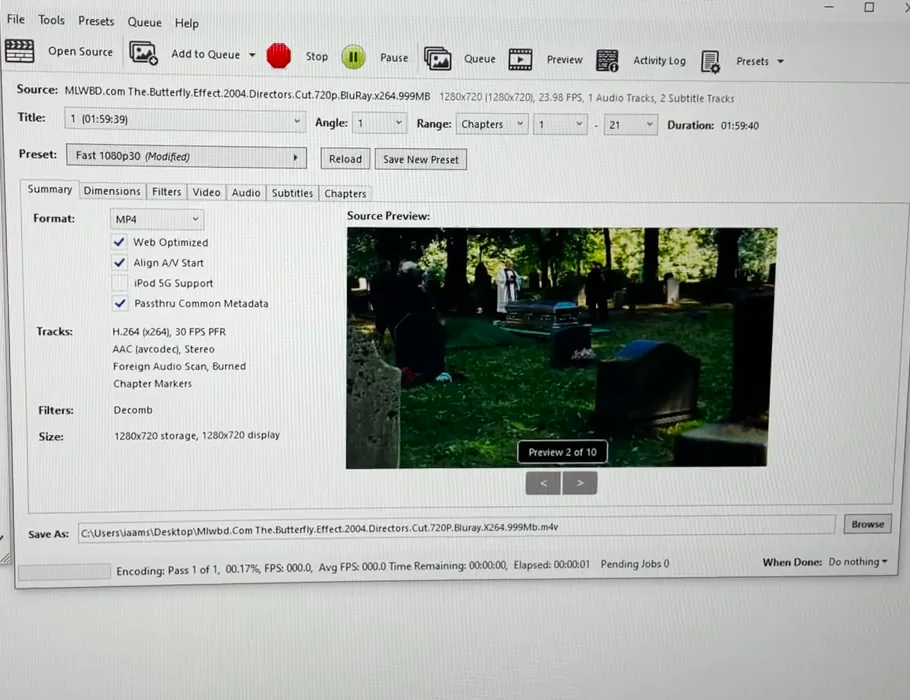
From my video at 1:14: The HandBrake encode I used to load every core.
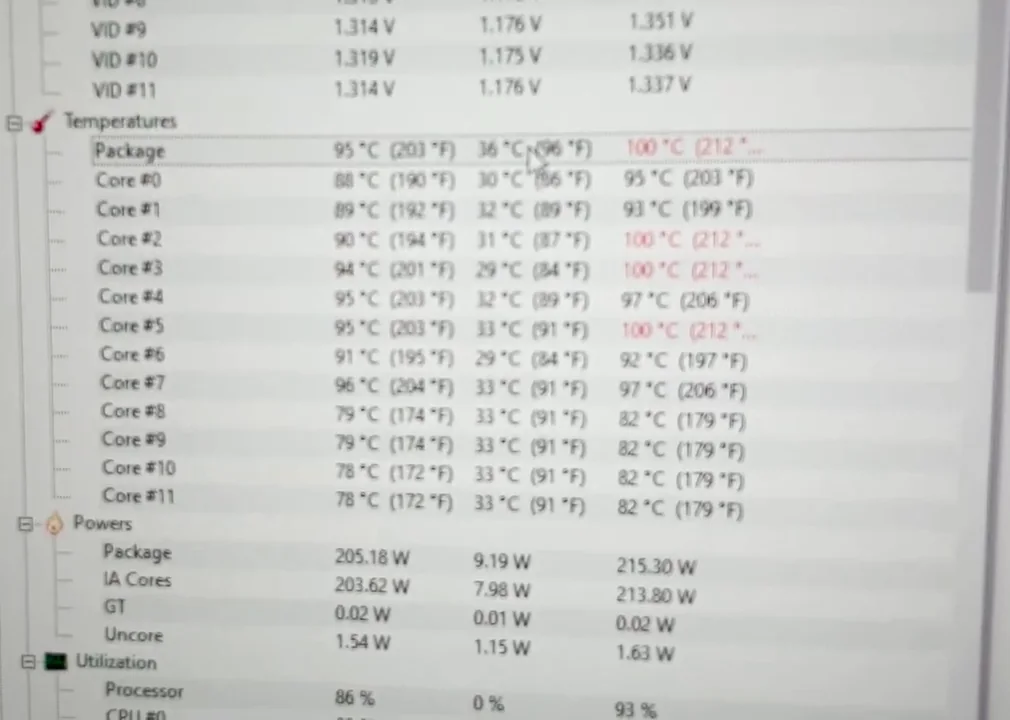
From my video at 1:53: HWiNFO temperatures during the run with the Noctua NH-D15S.
Results
- Noctua NH-D15S (air): jumped to 82–85 °C at once. After 2 minutes the package hit 98 °C, with some cores at 100 °C.
- NZXT Kraken X73 (360 mm AIO): 81 °C at the start, peaking at 87 °C after 2 minutes.
- Difference under rendering: 11 °C lower package temperature on liquid (98 °C to 87 °C). In the video I said 13 °C; the package readings shown give 11 °C.
- Valorant: 86 °C peak on air versus 72 °C on liquid, 14 °C cooler.
The NH-D15S is one of the best air coolers available, so this is not a weak cooler losing. The i7-12700K simply produces a lot of heat under full load, and a 360 mm radiator has more surface to get rid of it.
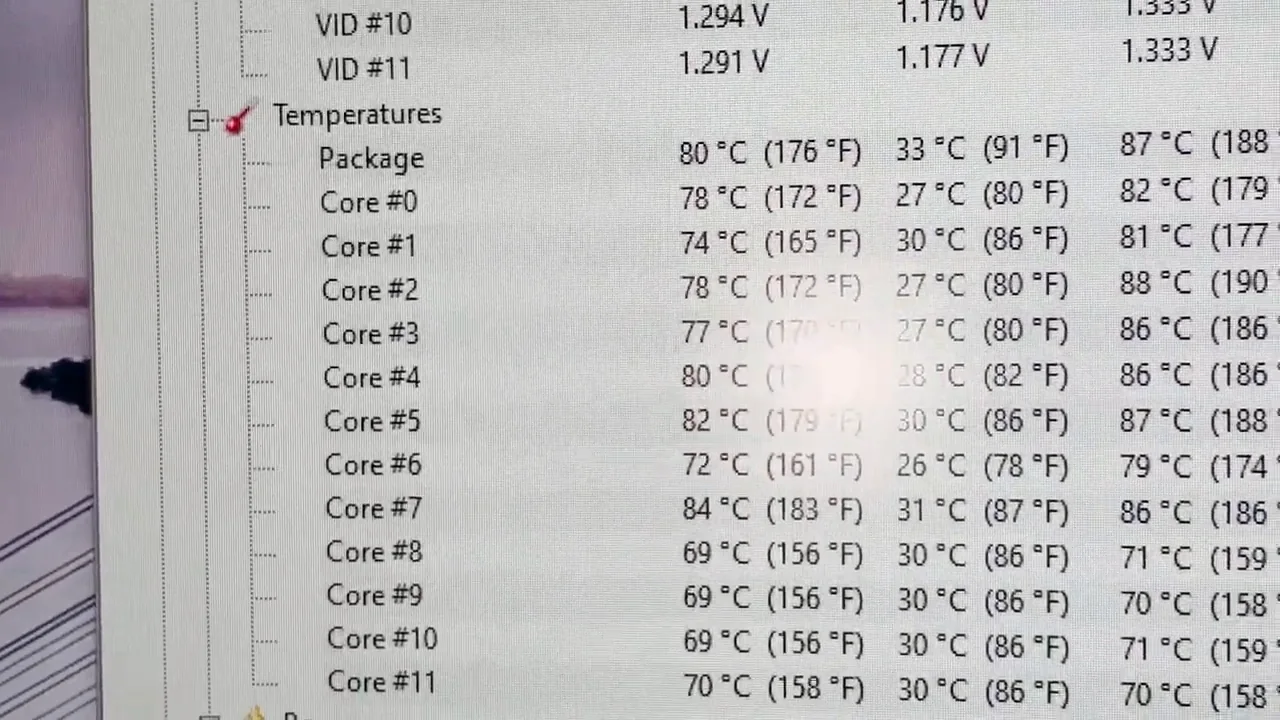
From my video at 3:11: HWiNFO temperatures during the run with the NZXT Kraken X73.
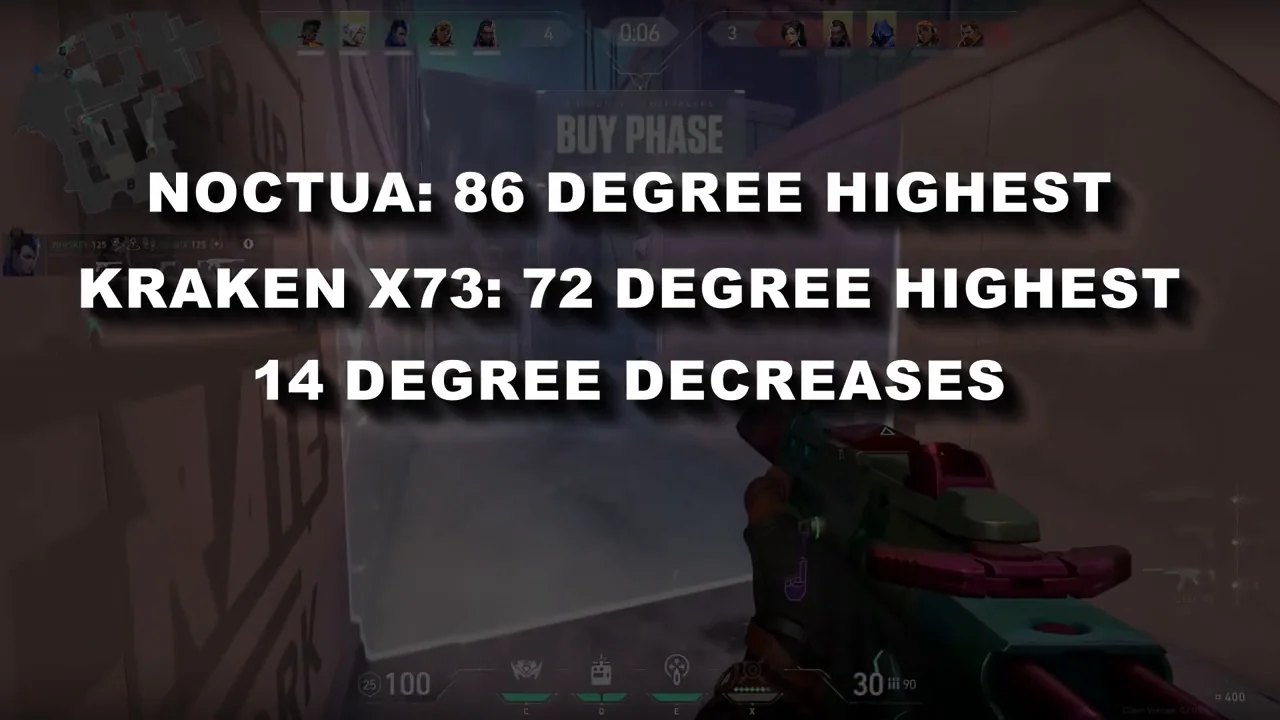
From my video at 3:30: The Valorant result card in my video: Noctua 86 °C highest, Kraken X73 72 °C highest.
Which should you buy?
- For hot unlocked chips like the i7-12700K, K-series i9s or long renders, a 360 mm AIO gives clearly more headroom.
- For gaming-only builds or mid-range CPUs, a large air cooler is quieter, cheaper and has no pump to fail.
- Check your case supports a 360 mm radiator before buying. The product page lists supported radiator sizes for the top and front.
Installation tips that affect temperatures
- Mount the radiator higher than the pump when you can, for example at the top of the case. Air bubbles collect at the highest point, and you want that to be the radiator, not the pump.
- Use thermal paste properly. Many coolers come with paste already applied. If you apply your own, a pea-sized amount in the center is enough.
- Tighten the mounting screws evenly, a little at a time in a cross pattern, so the cooler presses down flat.
- Set a sensible fan curve in the BIOS or the cooler's software, so the fans speed up under load and stay quiet when idle.
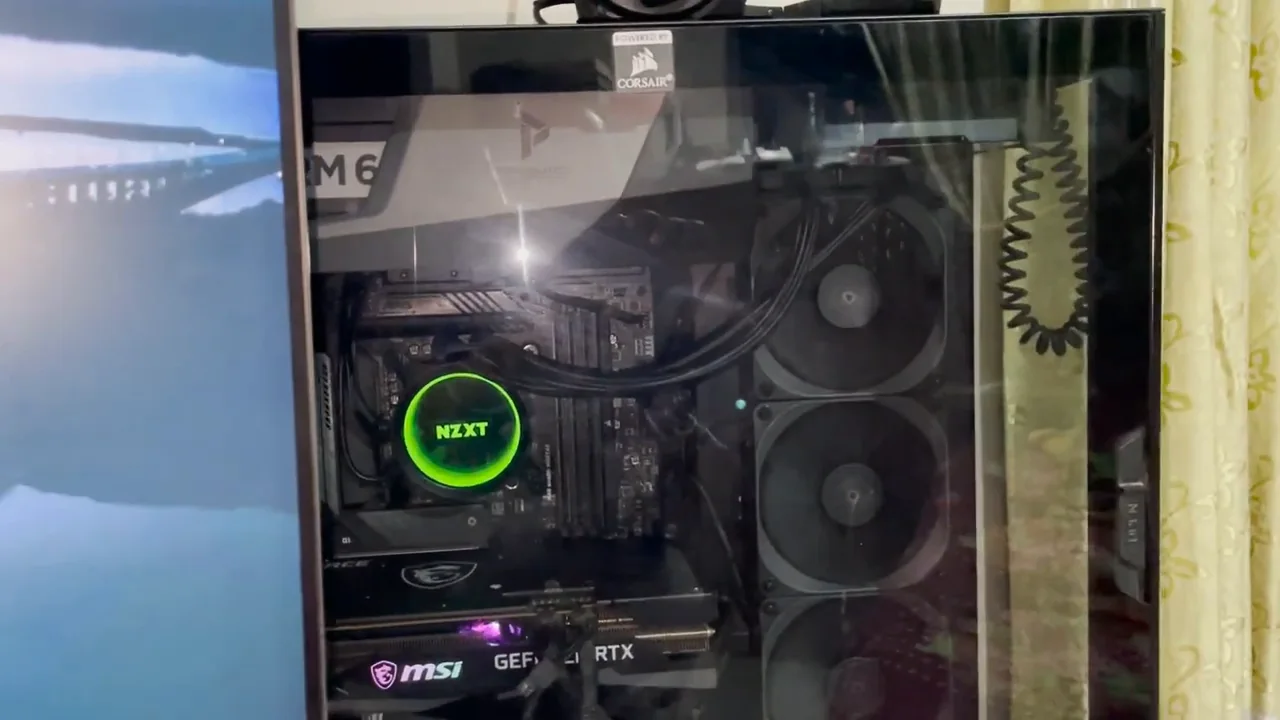
From my video at 2:42: The NZXT Kraken X73 installed for the second run.
Will the AIO last?
AIOs are sealed and need no refilling. The pump is a moving part, so it can eventually wear out, while an air cooler has no pump at all. Most AIOs come with a multi-year warranty. Check the warranty length before you buy, and keep the box and receipt.
Common questions
Is the Noctua NH-D15S enough for an i7-12700K?
For gaming and everyday work, yes. In long renders it runs hotter than a 360 mm AIO, so if you export for hours at a time, the AIO is the safer pick.
What is a safe temperature for the i7-12700K?
Its maximum is 100 °C, and it slows itself down (throttles) when it gets there. Staying in the 80s °C or lower during long work leaves comfortable headroom.
How long does an AIO cooler last?
Usually several years, but the pump is a part that can wear out, unlike an air cooler. Check the warranty length before you buy. More in Will the AIO last?
Should I replace my cooler if the CPU touches 100 °C?
Not straight away. Check for dust, fan speed, mounting pressure, thermal paste and the BIOS power limits first; see installation tips. Sustained high temperatures during normal work are what need fixing.
My verdict
For my editing workload, the Kraken X73 was worth it. It kept the processor about 11 °C cooler during conversions, and lower temperatures mean the CPU holds its boost clocks longer during exports. If you only game on a mid-range processor, a good air cooler is still the simpler, quieter choice.
Precaution
Cooling performance depends on case airflow, mounting, room temperature, power limits, and workload; test results are not universal.
Tools & files from this guide
Keep going
